
MonoList
Private lists. Clear tasks. No account required.
- Lists for shopping, errands and planning
- Notes and local reminders where you need them
- Free to use, with optional support
Keep track of your income and recurring fixed costs and see right away what is really left each month.
No bank connection · No account · Your financial data stays on your device
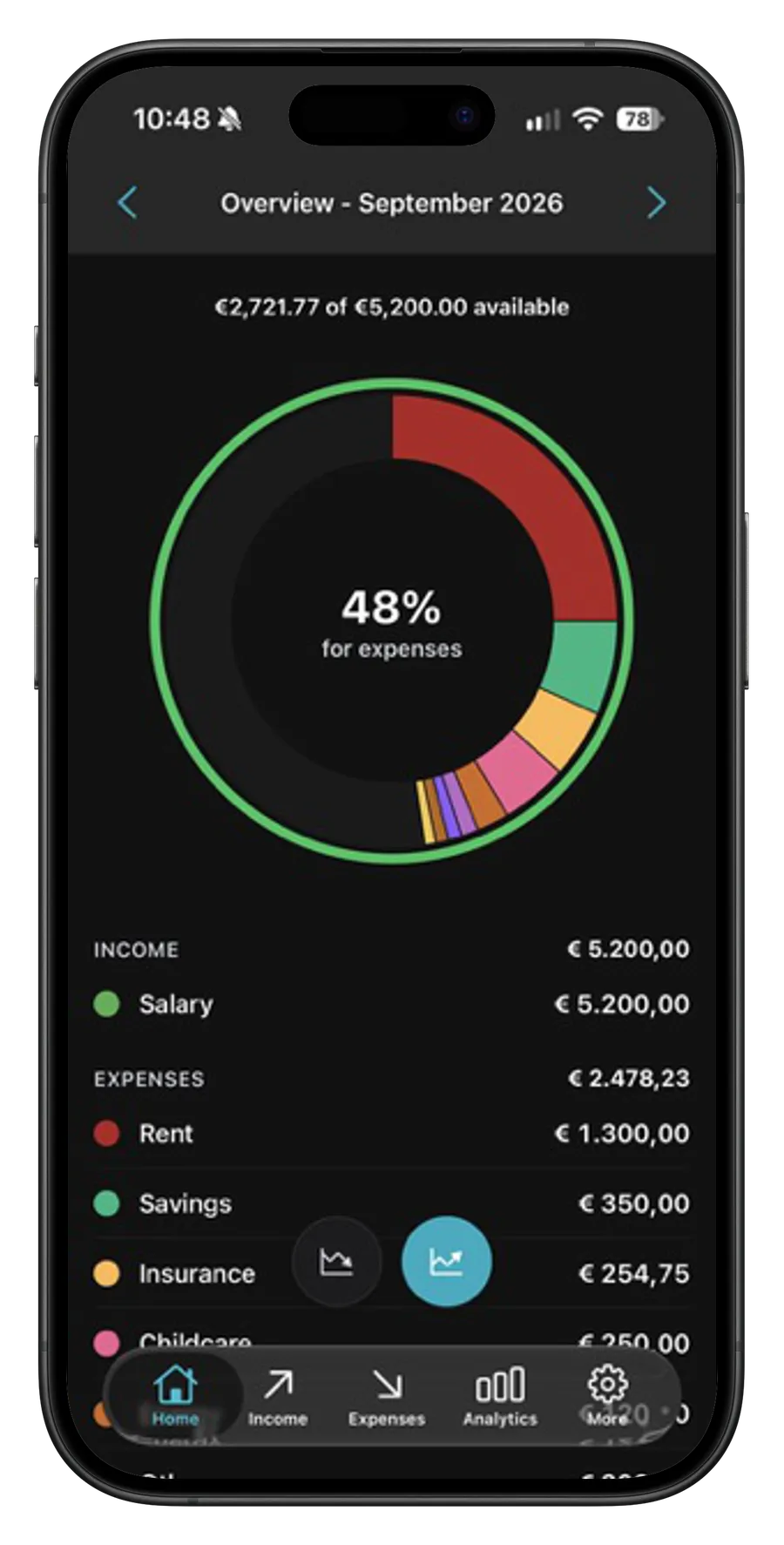
Rent, fixed costs, income, and annual bills get messy fast. Most budgeting apps feel like overkill or make you re-enter the same recurring costs every month. And it is rarely clear how much is really left once the regular costs are covered.
MonoBudget keeps your income, fixed costs, and annual bills in one clear place, and shows what recurs so nothing slips through. Sharing some costs with a partner or roommate? It can also show who pays for what and split them fairly. Your financial data stays on your device: no account, no MonoBudget server for your financial data, no ads.
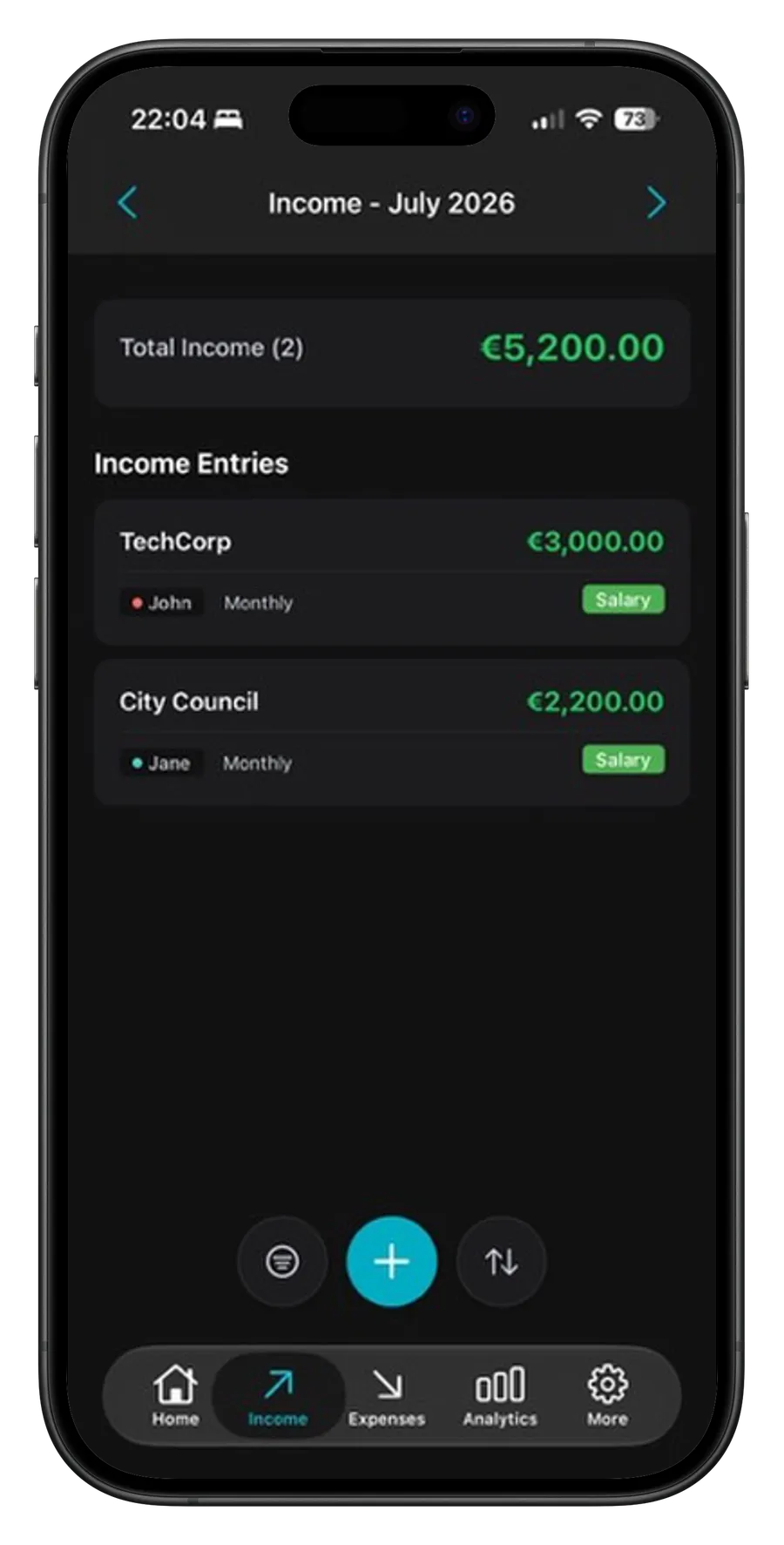
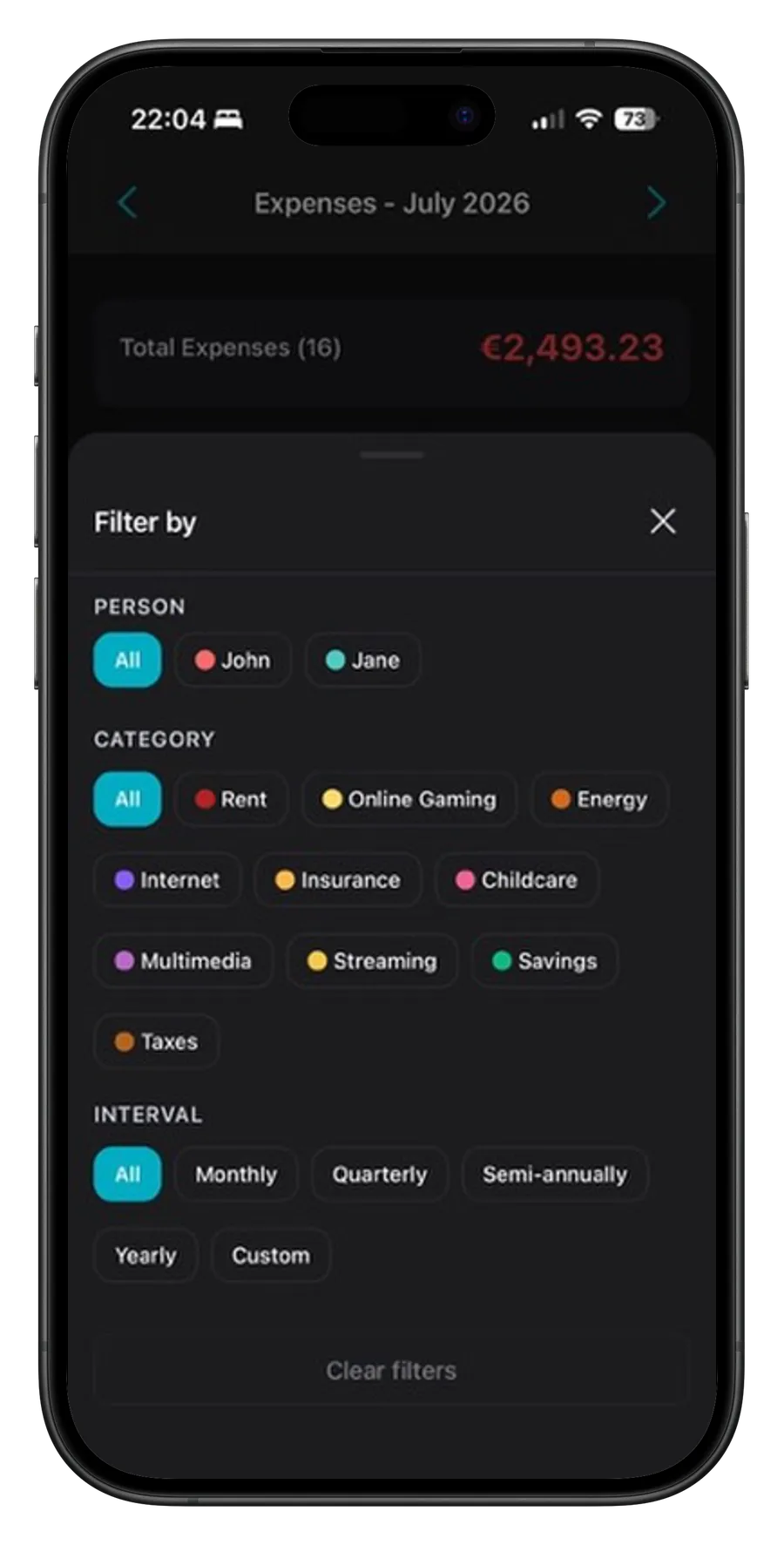
Track your own income and expenses with clarity. That's the free core. Sharing a household? MonoBudget Pro adds a second person, so couples and roommates can see who pays for what.
Set up income and fixed costs once: monthly, quarterly, semi-annually, yearly, or on a custom interval of any number of days, weeks, months, or years. MonoBudget creates the matching entries automatically and can remind you before larger recurring payments.
Organize income and expenses with custom categories and colors. Sensible defaults help you get started; after that, you can shape everything around your own budget.
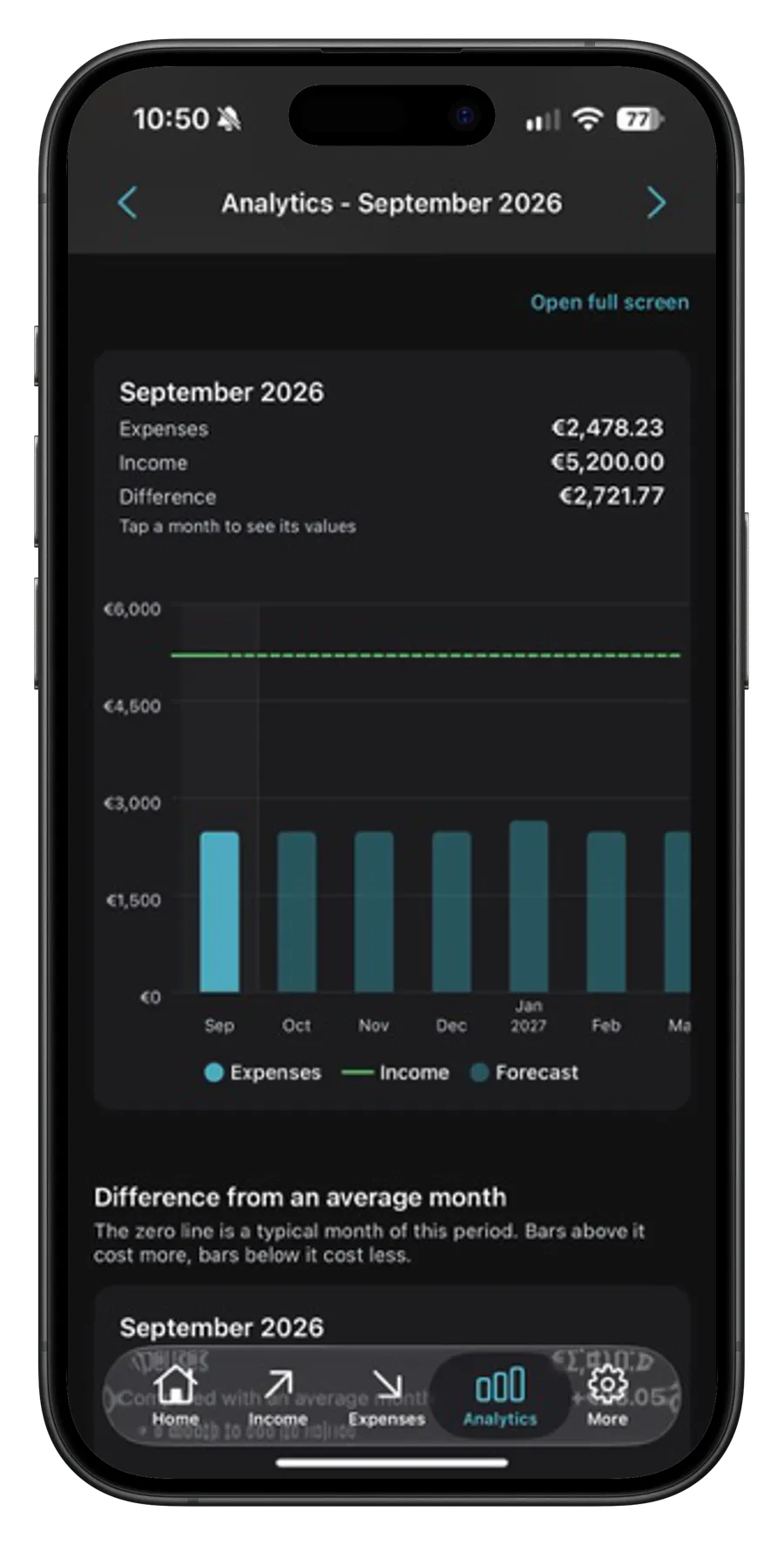
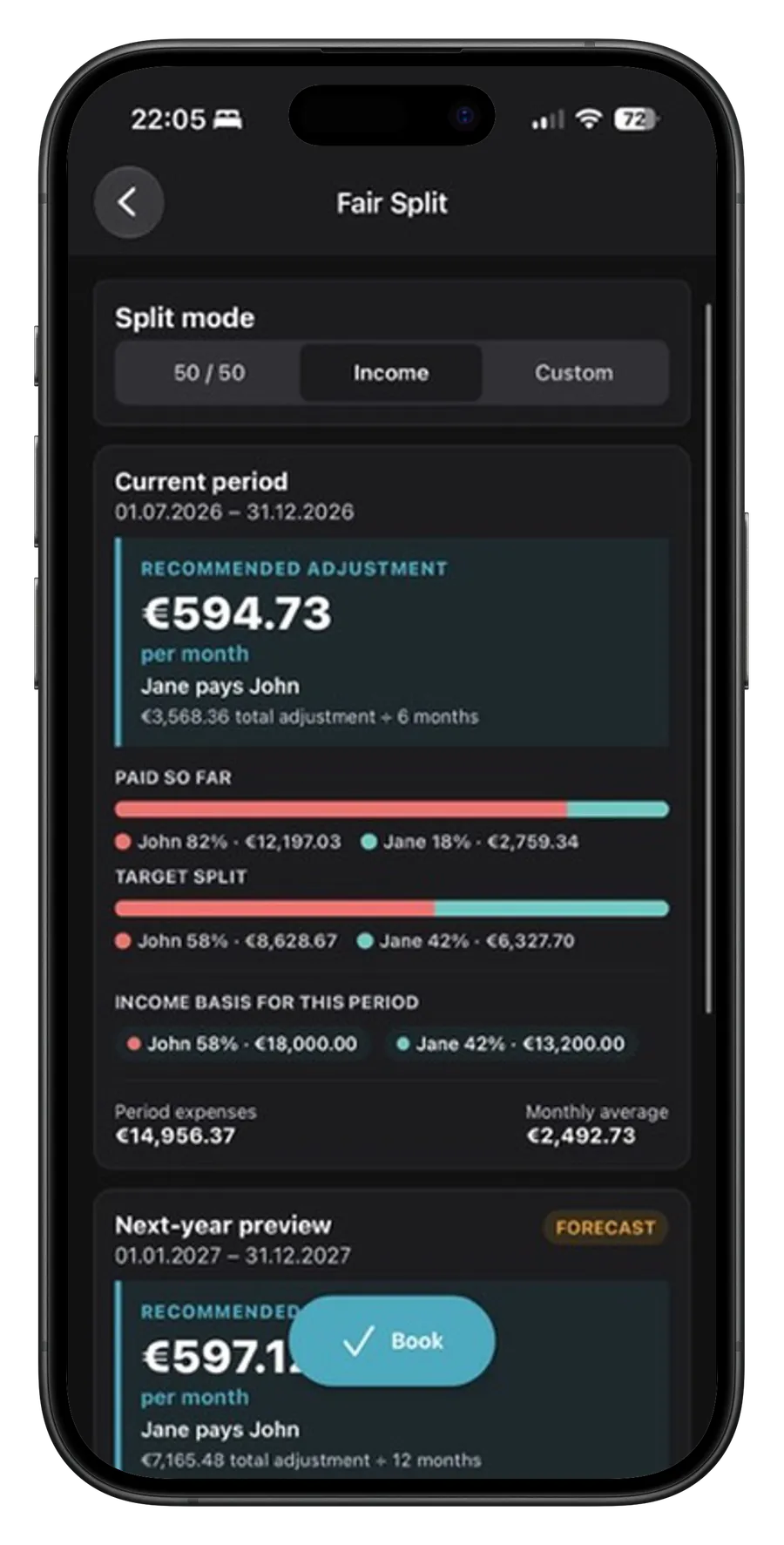
MonoBudget Pro shows key figures and breakdowns by category and person. The expense chart starts at zero and carries your income as a second line, with what has already happened kept apart from what is still forecast, so a month's bar length means what it looks like it means. In the dedicated Fair Split calculator, plan a 50/50, income-based, or custom adjustment for the current period, with a preview for next year. MonoBudget enters the monthly adjustment in your budget and shows who transfers how much to whom. The transfer itself is up to you, most easily as a recurring bank transfer. When something changes, update or remove the adjustment with a tap.
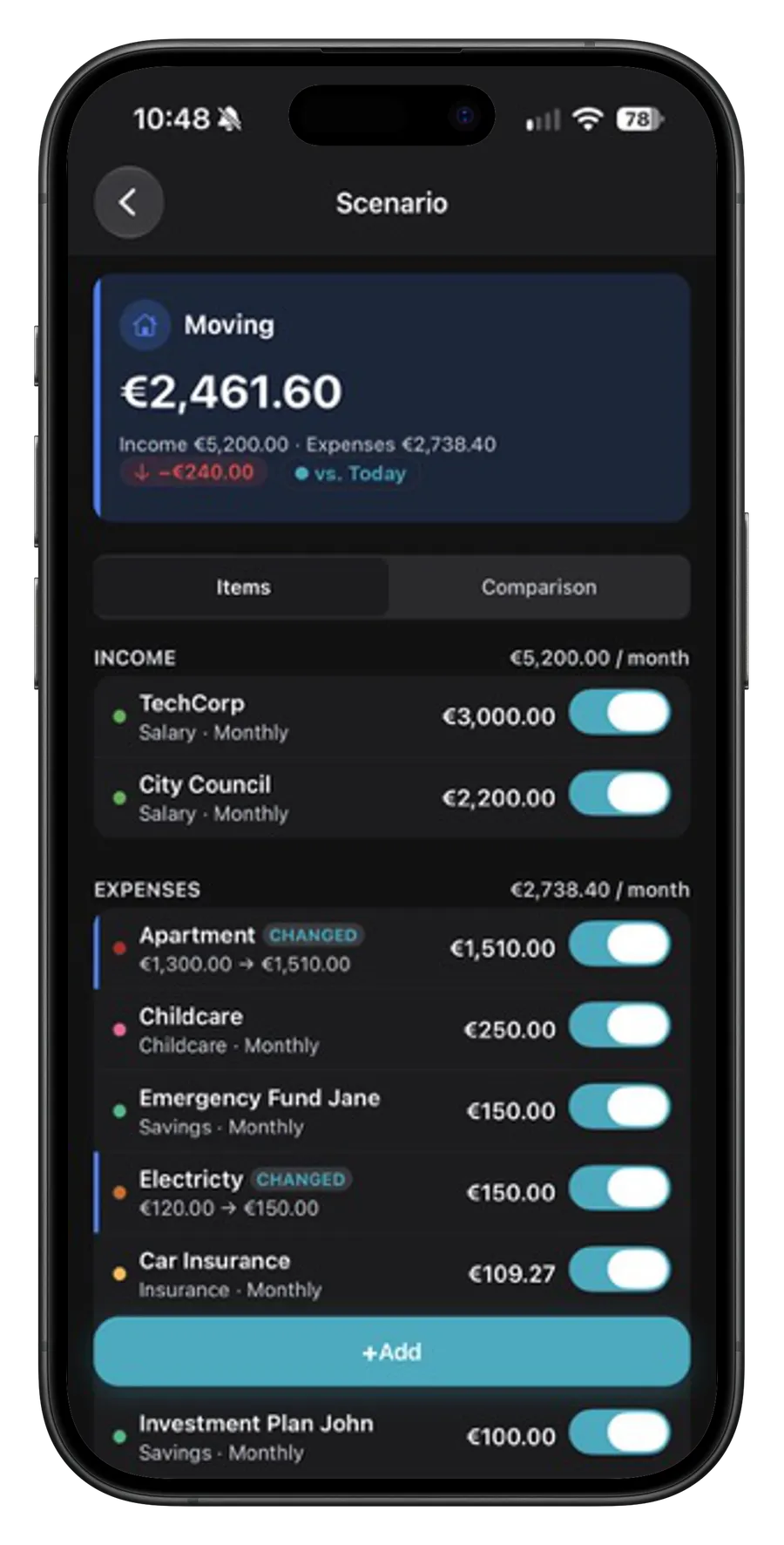
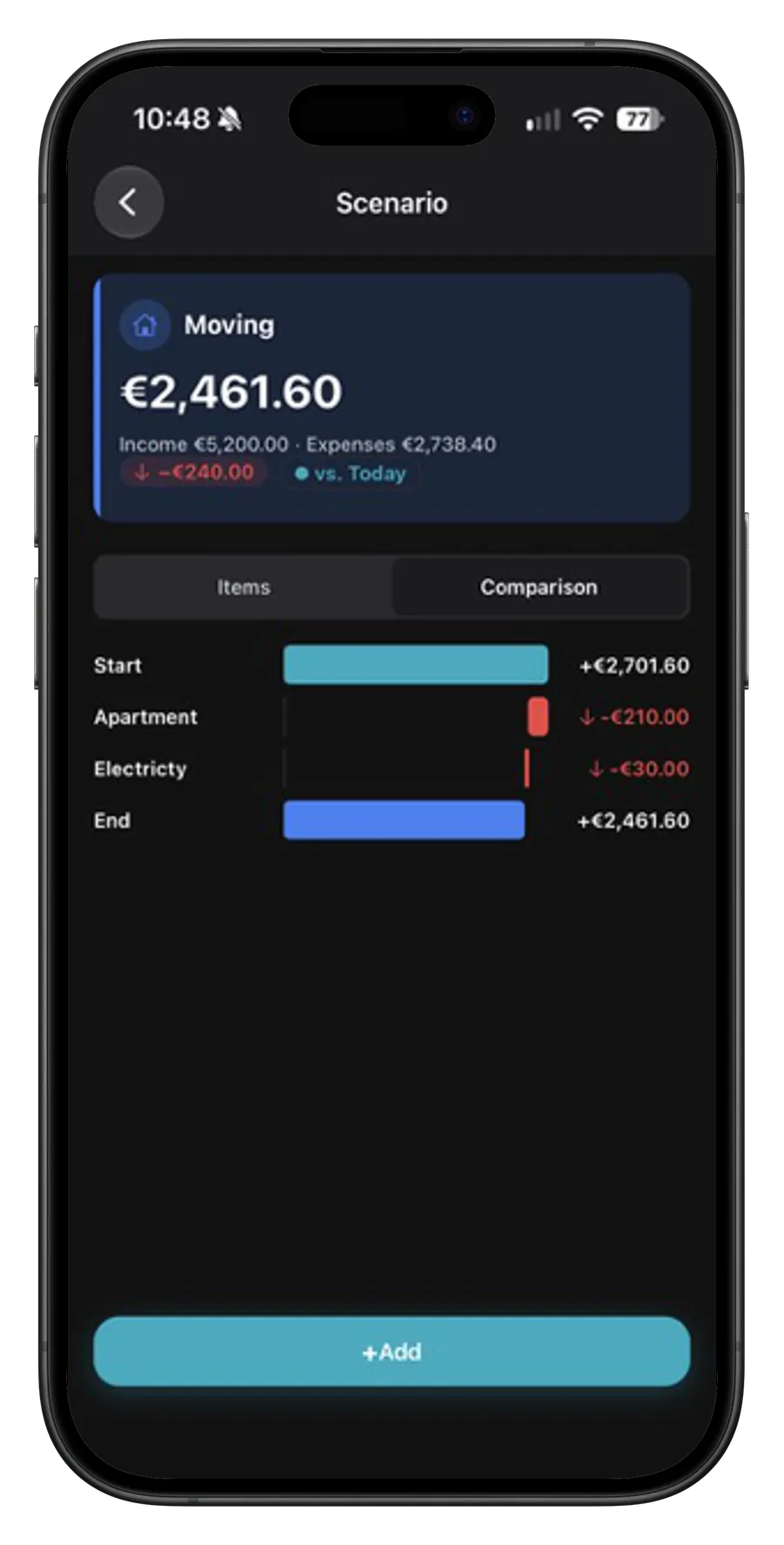
Try it without the app: the fair split calculatorA new job, a move, a loan paid off? The question is always what would be left each month. Copy your real figures into a scenario, adjust what the change would cost or bring in, and compare the result against today. Your real budget stays untouched.
By default, everything stays on your device: no account, no MonoBudget server for your financial data. You create exports yourself; automatic backups are optional, encrypted, and protected by your own passphrase.
Not on the same budget at the same time. MonoBudget keeps everything on the device and syncs nothing, because syncing would need a server that knows your finances. You can export a backup and import it on the second phone so it shows the same state. That import replaces all data on the second phone, though, and changes made there do not flow back. So the best setup is one person keeping the budget, and the two of you looking at it together.
With Pro, MonoBudget backs up your data automatically and encrypted: to iCloud Drive on iPhone, and on Android to a folder you choose, including one in a cloud app like Google Drive. On the new phone you restore the backup with your passphrase. Without Pro, export your data yourself beforehand and import the file on the new device. The guide covers both.
It would need access to your account, usually through a third party that reads your transactions. Fixed costs do not need that: you enter rent, insurance or subscriptions once, and MonoBudget creates the entries every month by itself. That way nobody but you sees into your accounts.
Private lists. Clear tasks. No account required.